I sometimes find myself choosing between multiple commands to see the content of a text file:
- cat - the simplest Unix command to show files. But it does not have pagination, nor syntax highlighting.
- less - the standard pager (replacing the venerable more). It does have pagination, but not syntax highlighting. And sometimes you don’t need pagination, if the file is short enough.
- vim - replacing the venerable vi. It’s not a pager, but it can be used with -R (read-only) or with the name view which is usually a symbolic link to vim. It has pagination and syntax highlighting, but to me seems like an overkill to use it just to see files.
As a side note, where does the name cat come from? Other Unix commands usually have a suggestive name, even if abbreviated: ls = list, cp = copy, mv = move, etc. Cat comes from ‘conCATenate’ because it can be used to concatenate files, using the shell redirection mechanism:
cat file1 file2 [...] > file-result
All those are fine and dandy and more than 30 years old (or 50?). So, enter bat, a command thought to replace cat, with some improvements:
- Includes all cat functionality
- It has pagination but only if it’s needed. If the file is short, just show it and return the prompt
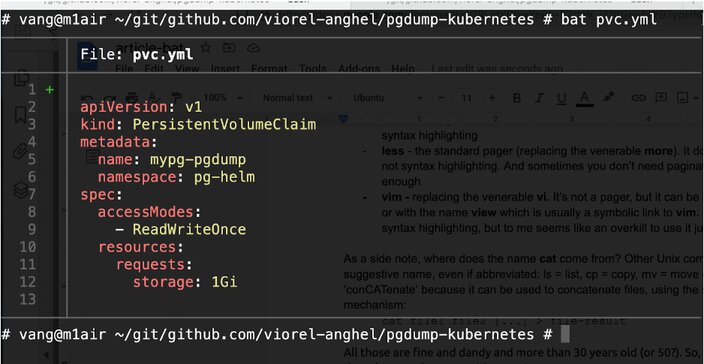
- It has syntax highlighting. The Kubernetes yaml files look great!
- It has git integrations and it marks modifications!
- When paginate, it uses less so you can use all it’s shortcuts (h for help, / to search, > to jump to the end of the file etc)
How to install it? Well, fortunately there are packages so a simple apt install bat or brew install bat will quickly do it. On Debian, the command is named batcat.
This is how it looks:

In the end, if you like it, find out more on the official Github page at https://github.com/sharkdp/bat .


 RO
RO
 EN
EN


